
A native macOS camera utility
PhotoCam Studio
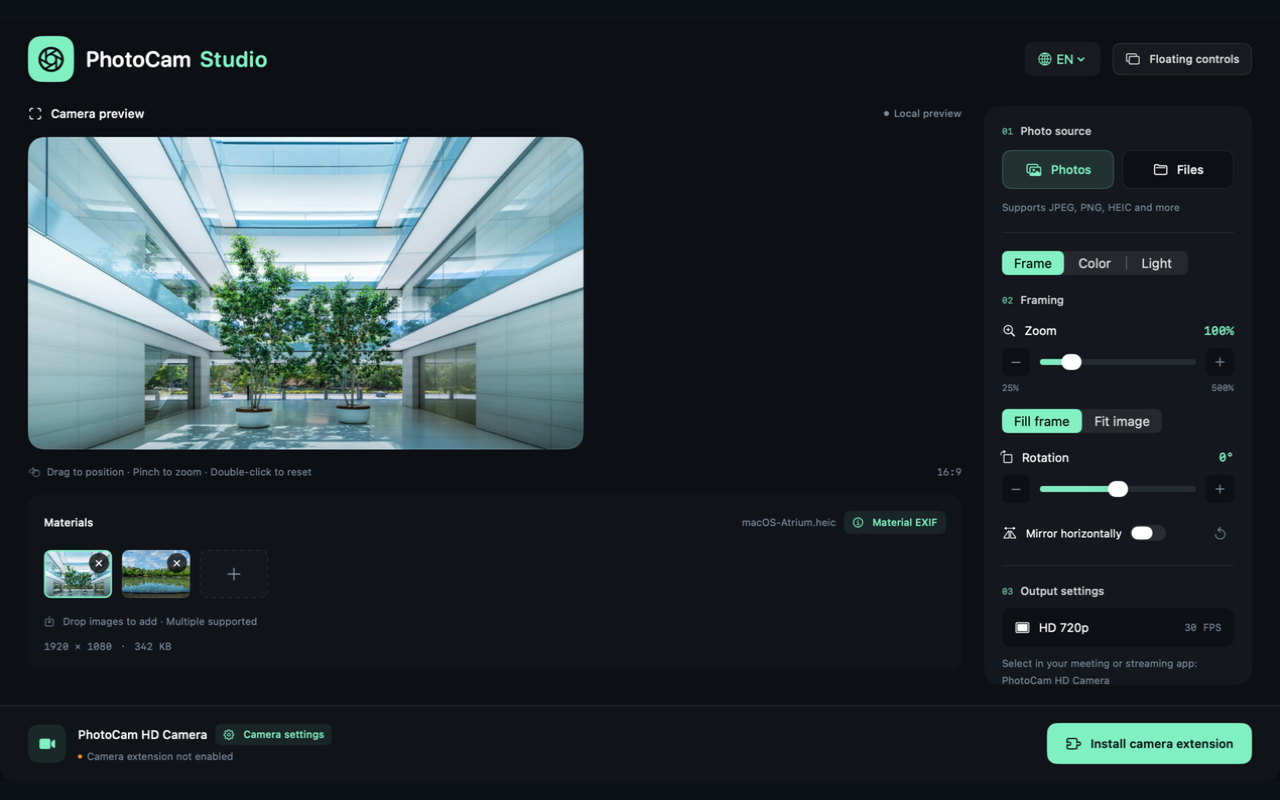
Use a still photo as a virtual camera on your Mac. Adjust framing, color and lighting, with a floating window for quick controls.
macOS 13 or later · English, Chinese, German, French and Spanish
US$5.99 · one-time purchase
US storefront price. Regional pricing and taxes may differ.
Product screenshot is being prepared.
A short look at the app
See photo selection, framing and image adjustments in the native workspace.
The preview video is being prepared.
Demo uses macOS background images. Choose your own photos in the app.Real app footage · No audio required
Controls for a photo-based camera
- Photo input
- Choose images from Photos or Files, or drop several into Materials. Select a thumbnail to change the camera image.
- Framing
- Zoom from 25% to 500%, rotate by degrees, pan and mirror. Use Fill or Fit to place the photo in a 16:9 frame.
- Color and lighting
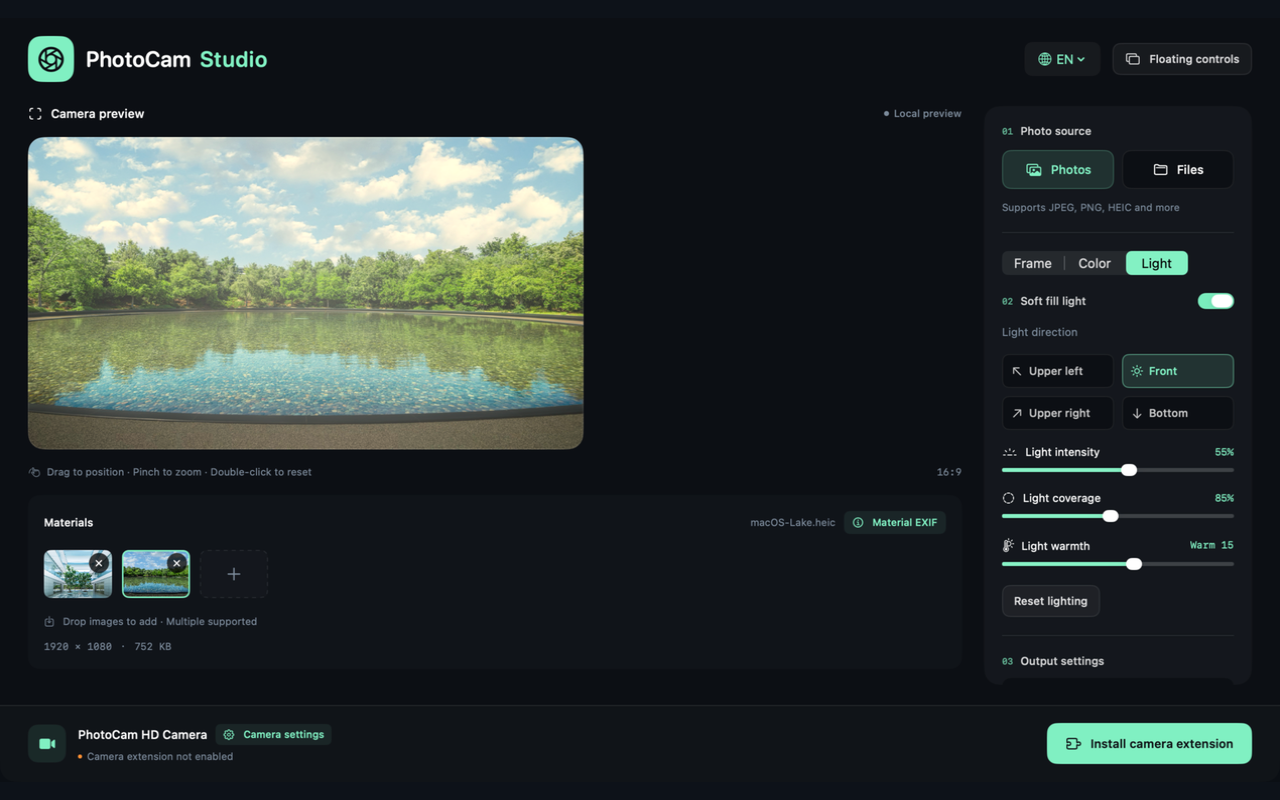
- Adjust exposure, brightness, contrast, saturation, warmth and shadows. Add soft fill light with control over direction, intensity and coverage.
- Camera output
- A camera extension supplies 1280 × 720 video at 30 fps. Set a camera name and select it in compatible meeting or streaming apps.
- Two kinds of metadata
- Material EXIF belongs to the source photo copy. Camera output metadata describes generated frames. Supporting clients can read it; other apps may remove it when saving or re-encoding.
Keep the controls nearby
The floating window stays above other apps, so you can adjust the image without repeatedly returning to Studio.
- Main and floating controls share the same image settings.
- Switch tools to frame, adjust color or change fill light.
- Start and stop camera output directly from the controls.
Product screenshot is being prepared.